

E-sign
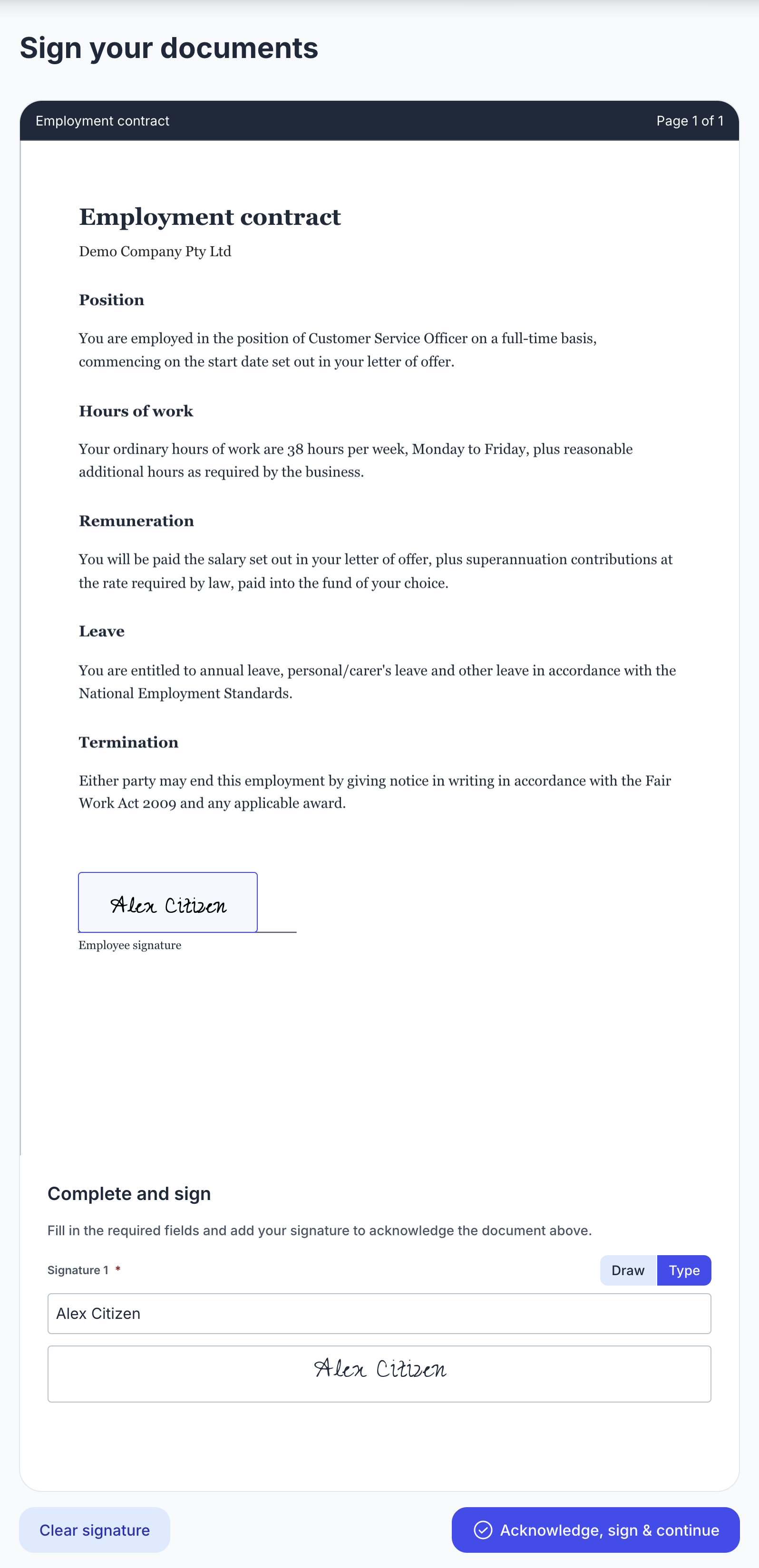
Get employment contracts, compliance certificates and other critical documents signed electronically as part of the onboarding flow, no separate tools or follow-up emails required. Employers provide the documents and employees review and sign them before starting work.
How it works
- The employer uploads a PDF to their onboarding content library, then places fields on it: signature, initials, text, date or checkbox. Each field can be required or optional.
- When creating an onboarding invite or a template, the employer chooses which documents the employee signs.
- The employee reviews each document in the onboarding flow, fills in the fields and signs.
- A signed PDF is produced with the employee's answers stamped onto it.
If no documents are chosen, the module is skipped automatically.
Audit trail
- Each signing records the signer's IP address, their approximate location, when they signed and the identity they gave in the Identity module.
- The audit trail is appended to the signed PDF, which is digitally signed and timestamped so later changes can be detected.
API
- The onboarding session returns
esign_documents, with one entry per document showing its name and status, plus an overall outcome. - Once a document is signed, its entry includes a
download_urlfor the signed PDF.
Coming soon
- Flexible template fields on documents (employee name, job title) so documents are customised to the employee onboarding.
- Integration with third-party document signing providers, such as Annature or Adobe e-sign.